Home services · Cleaning
The price on the screen before the phone call
A cleaning build that answers the two questions which normally cost a phone call — what does my home need, and what will it cost — before anyone has to call.
- By design
-
62
checkpoints published before the visit, not after - Vertical
- Home services
- Stack
- Hand-written HTML/CSS, Price calculator in JS, Service-area pages, No builder, Local SEO
- Live site
- northline.apexvow.com
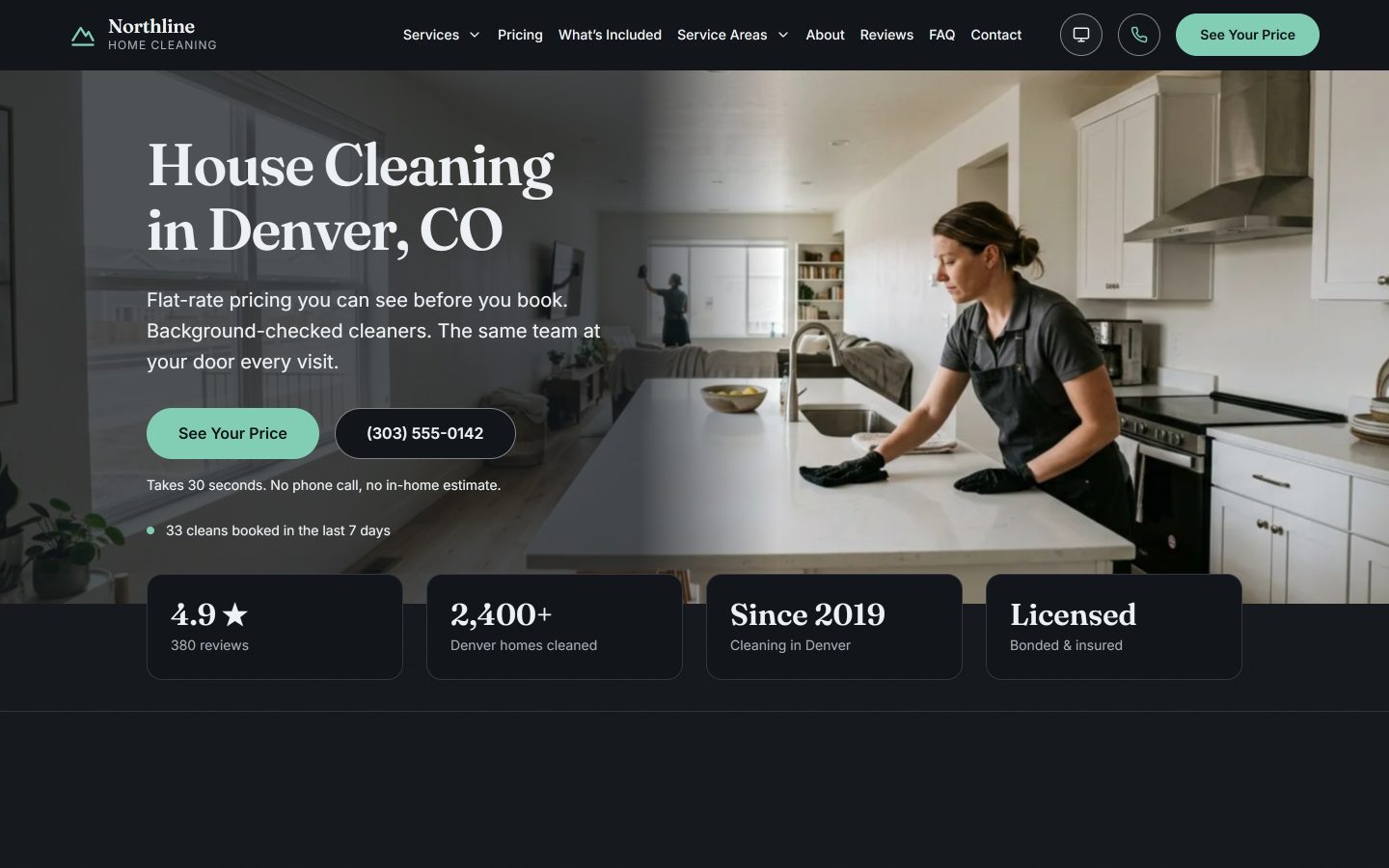
The content on the published build is demonstration data. The prices, the contact details and the 62-point checklist are placeholders. What this case shows is the build: the structure, the interface and the decisions behind them. Copy, prices and contacts sit apart from the layout, so replacing them is an edit, not a rebuild.
The problem
Every cleaning company in the city hides the price behind “contact us for a free estimate”. The customer has two questions — what does my home need, and what will it cost — and both need a phone call with someone whose job is to sell. Meanwhile the things that actually differ between companies stay invisible: what is included, who comes to the door, what happens when it is done badly.
A company in this category usually has real answers — a written checklist, background-checked staff, the same team every visit — and none of it reaches the website, because the website is a template with a form on it.
What I built
The price before the form
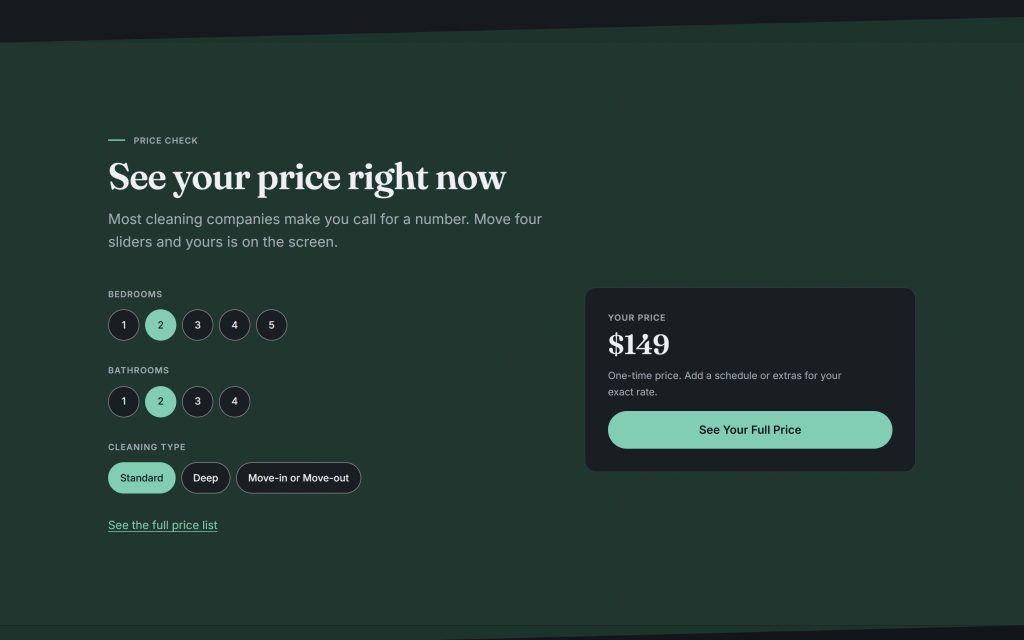
Three choices — bedrooms, bathrooms, cleaning type — and the price is on the screen. No form, no email gate, no “we will get back to you”. Schedule and extras adjust it on the full price list, one tap further.
The calculator runs on a price table that lives inside the page. No booking widget with a monthly fee, no box loading somebody else’s site inside yours with its own fonts, scripts and outages. The table belongs to the client, and changing a price is changing a number in it.
The checklist, published in full
All 62 points, grouped by room. It is the single most persuasive thing on the site and it costs nothing to publish. A competitor can copy the list; they cannot copy doing it.
A section that turns customers away
“We’re not the right fit for everyone” names four kinds of customer the company would turn down: people who need the cheapest option, people who need same-day service, post-construction cleanup, and anyone wanting errands and organising. Naming who you are wrong for is the cheapest way to be believed about who you are right for — and it removes the enquiries that take an hour and end in nothing.
Pages for the searches that bring work
Four service pages — recurring, deep, move-in and move-out, apartment — and a page for each neighbourhood served, Cherry Creek, Highlands, Washington Park and Littleton among them. Plus a full price list and a what’s-included page. Each is a real page with its own content, not the same page with the district name swapped.
The decisions worth naming
Numbers where the badges usually go
Directly under the first screen: rating and review count, homes cleaned, the year the company started, licence and insurance. Facts, not badges. On the published build the figures are placeholders; the slots are what the client fills with theirs.
A serif, in a category of sans
Cleaning services all look the same: a sans-serif, a mint green, a smiling person in an apron. The mint stays — it belongs to the category. The voice changes with the type: a serif headline on a dark base reads as a household name rather than a gig app.
On mobile
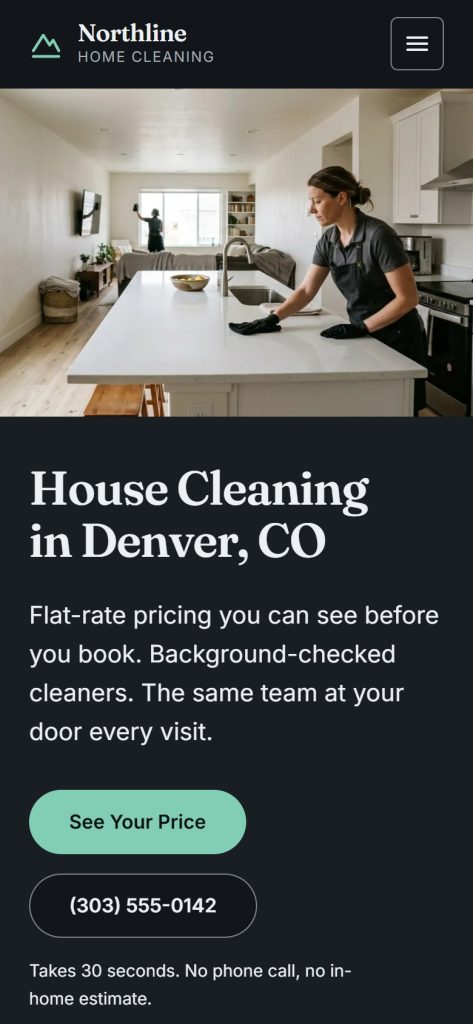
The hero inverts: the photograph goes above the headline and both calls to action sit on the first screen — a layout made for the phone, not a desktop squeezed narrower. The calculator works with a thumb: the inputs are buttons, not sliders that need precision.
What this is built to change
The two questions that normally take a phone call are answered before anyone picks up. What arrives instead is a booking from someone who has already seen the number and did not flinch.
The site itself